Skip links

Bing Business

(3 customer reviews)

$50.00 / month

Online Portal

Secure Checkout

No Contracts

Have Questions?

Speak with a specialist now!

Bing Business

(3 customer reviews)

Get found on Bing and Bing Maps. We set up your Bing Places for Business listing properly, then keep it accurate every month, all for $50 a month with no setup fee.

$50.00 / month

Description

Bing powers search on Microsoft’s own products, so the people who use it should find the same accurate details about your business that they would on Google. We build your Bing listing once, then keep it current for you every month.

What’s included when you start

  • Your listing. We create your Bing Places for Business listing, or claim the one Bing already shows for you.
  • Business details. We fill in your name, address, phone number, website, category and description accurately.
  • Hours. We set your opening hours so customers know when to reach you.
  • Logo and photos. We add your logo and photos of your business and work.
  • Map location. We check that your pin sits in the right place on Bing Maps.
  • Verification. We guide you through Bing’s check that the business is yours.

Every month after that, we keep your listing current

  • Hours. Your regular and holiday hours kept accurate.
  • Photos. New photos of your business, work and team added.
  • Description. Updated when what you offer changes.
  • Business information. Phone, website and address kept correct.

How it works

  1. Tell us about your business. Share your details, hours, photos and logo.
  2. Give us access. Add our team to your listing, or we set one up for you.
  3. We build and verify. We complete the listing and help you finish Bing’s verification.

In your client dashboard

  • Your results. Your 1-on-1 meetings and monthly report cover your Bing listing.
  • Progress. Follow each setup step, including Bing’s verification.
  • Files. Upload your logo and photos and download what we share, all stored privately.
  • Messages. Message the team looking after your listing directly.
  • Billing. See your plan and invoices, pay online and update your card.

Good to know

  • Your Bing listing is separate from your Google Business Profile, and the two work well together.
  • The plan runs month to month.

3 reviews for Bing Business

  1. Avatar of Dan M., Morrow CPA

    Dan M., Morrow CPA –

    Didn’t know Bing Places was a thing. They set it up, and now we show up there too. Easy.

  2. Avatar of Angela C.

    Angela C. –

    Quick and painless. They matched everything to our Google listing so it’s all consistent.

  3. Avatar of Scott W.

    Scott W. –

    Small thing, but it helped. Getting a few calls from it.

Only logged in customers who have purchased this product may leave a review.

Online Portal

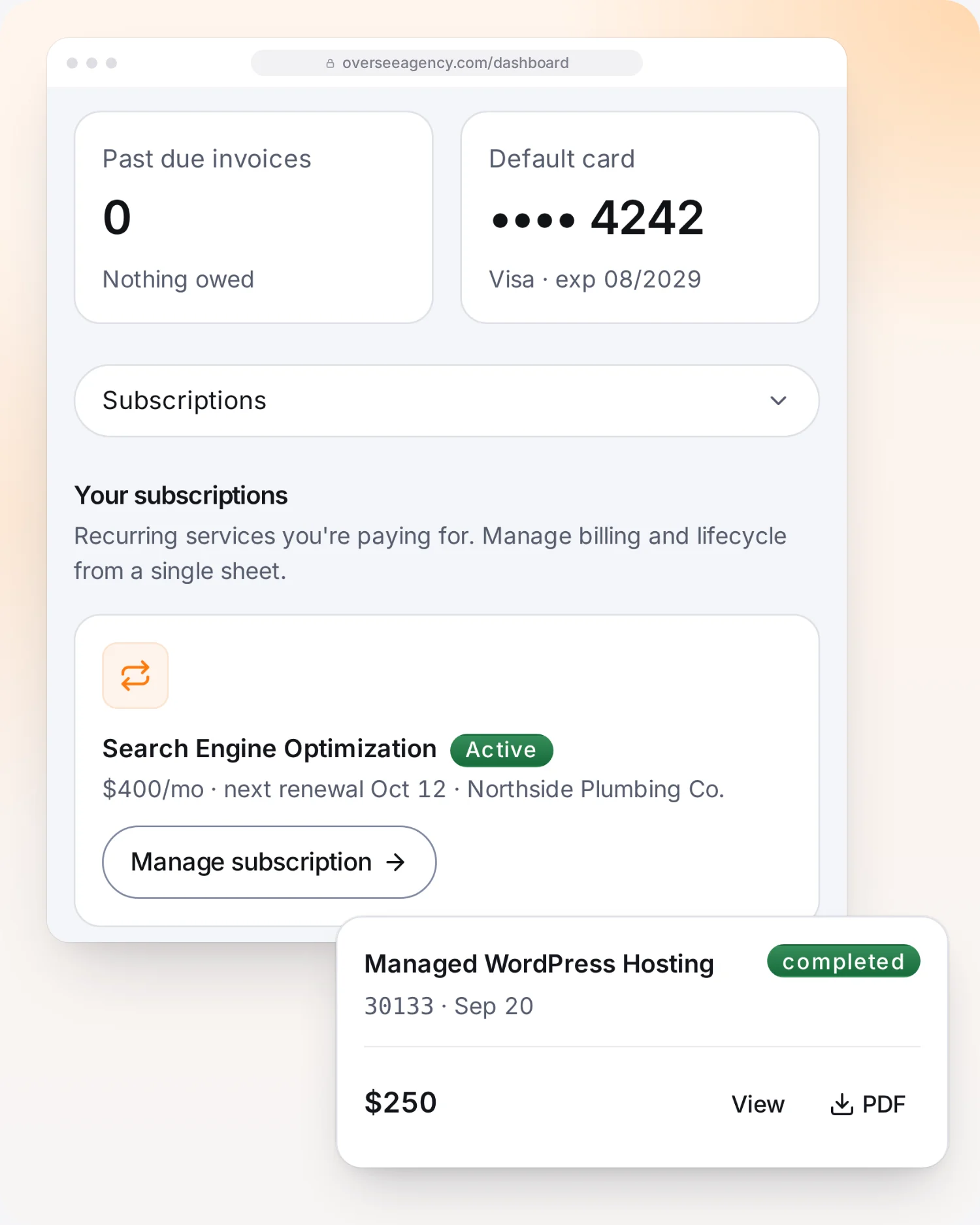
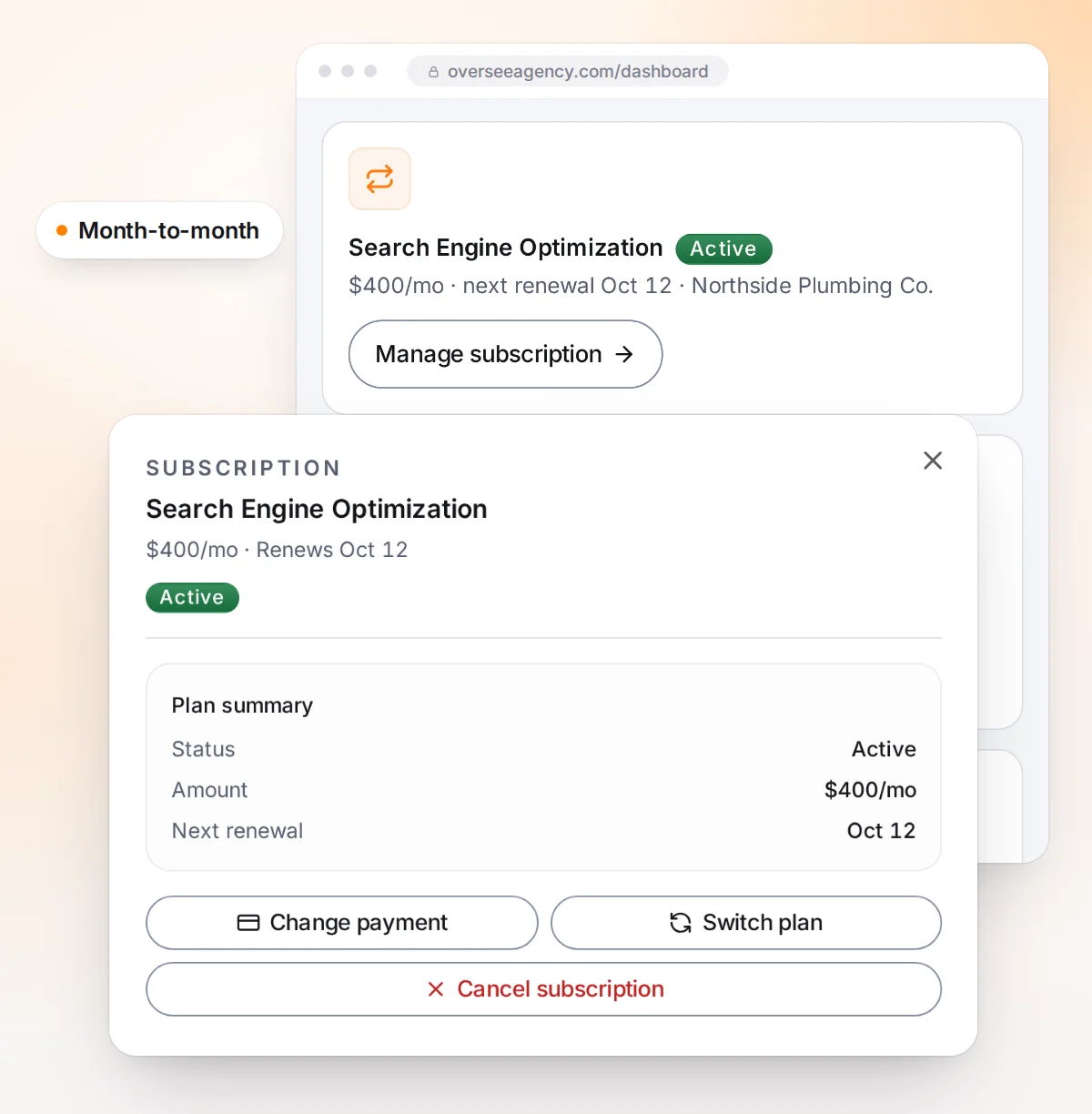
Your whole account, in one place. See where every service stands, share files and send us messages. Update your card, switch or cancel a plan and download any invoice whenever you like. No second login, no email chains.

The Oversee client portal showing an active subscription with a Manage subscription button and a paid invoice ready to download as a PDF
A subscription in the Oversee client portal with Change payment, Switch plan and Cancel subscription buttons

No Long-Term Contracts

Stay because it works, not because you signed. Monthly services run month to month, so you can change your plan or cancel from your dashboard whenever you need to. Website builds end on their own once the site is paid off, and one-time projects are paid once.

Pay for what you need. Nothing you don’t.

Secure Payments

Encrypted checkout with Stripe

No Contracts

Month to month, cancel anytime

Online Portal

Plans, invoices and files in one place

1-on-1 Meetings

Monthly or bi-weekly check-ins

Clear Reporting

Results explained in plain words

Your client dashboard

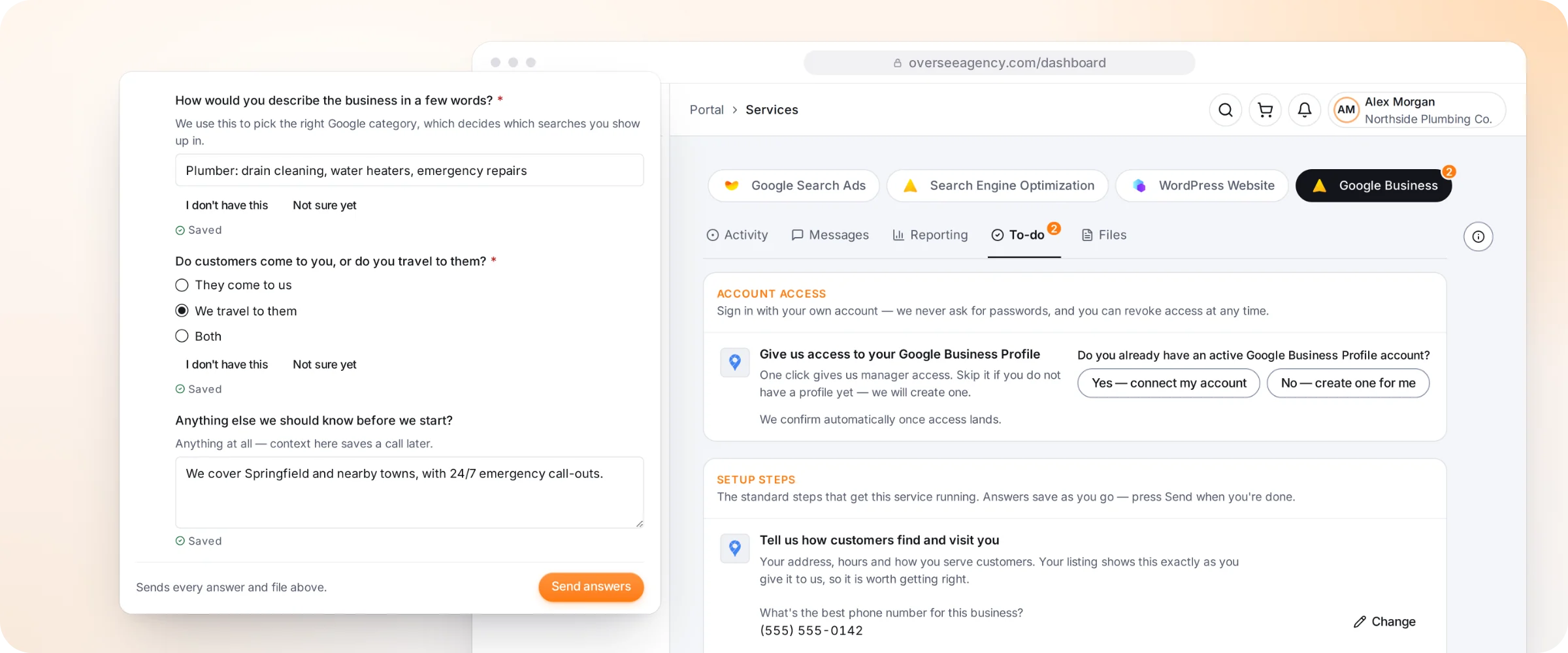
Every service gets its own place in your dashboard. Here is what you can do in this one.

The Oversee client dashboard setting up a business listing: access and listing details
  1. Describe your businessWe use your words to pick the right Google category.
  2. Your to-do listEverything we need from you for this service, in one place.
  3. Your service areaTell us whether customers visit you or you travel to them.
  4. Connect or createConnect your Google Business Profile, or we create one for you.
  5. Your listing detailsPhone, address and hours carry over and show on Google exactly as given.
  6. Send when readyAnswers save as you go. We then set up and verify your listing.